Position sizing and execution
TradeFrame
Plan entry, stop loss and take profit visually, calculate volume from your selected risk settings, and place the order.
Version 1.00 · MT4 and MT5
Set levels. Size risk. Execute.
The planned entry, stop, target, position size and execution controls stay visually connected, so the number you risk is never a guess made in a separate window.
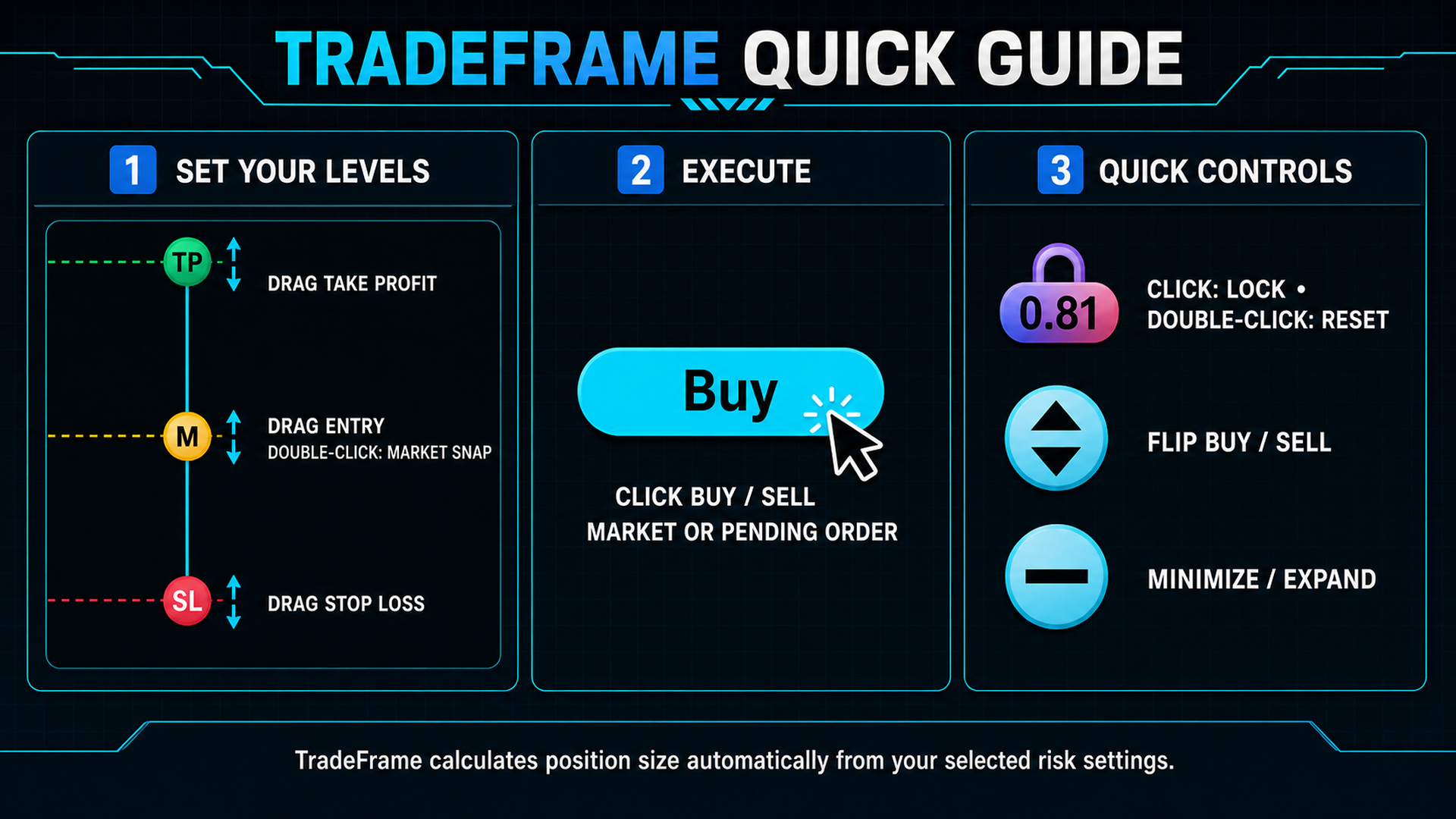
Four controls, before the order goes
You decide direction, risk and order type. TradeFrame does the arithmetic and places exactly what you asked for.
Editions
Try it free, licence it when it earns its place
The Demo edition is the complete product with nothing removed. It runs on demo accounts only, so you can evaluate the full workflow before paying anything.
Demo
$0- The complete TradeFrame workflow
- Demo accounts only
- MetaTrader 4 and MetaTrader 5
- No time limit, no feature locks
Licence
$30- Everything in Demo
- Runs on live accounts
- 5 live accounts per licence key
- Each slot bound to account number and broker server
- Direct support by email or WhatsApp
Demo accounts only
Choose your MetaTrader platform
Each package contains the compiled utility, installation notes, terms and the graphical guide.
SHA-256 checksums: CHECKSUMS.txt
Installing. Unzip into your MetaTrader MQL5/Experts folder (or MQL4/Experts on MT4), restart the terminal, then drag TradeFrame onto a chart. Full steps are on the support page.
Questions before you buy
Ask before you spend anything
Tell us your broker and platform and we will tell you honestly whether TradeFrame fits how you trade.